
Doug Hercules (dhercjr on drupal.org) is a graduate of the 2012 class of the DrupalEasy Career Starter Program (http://drupaleasy.com/dcsp) and currently working as an intern with DrupalEasy.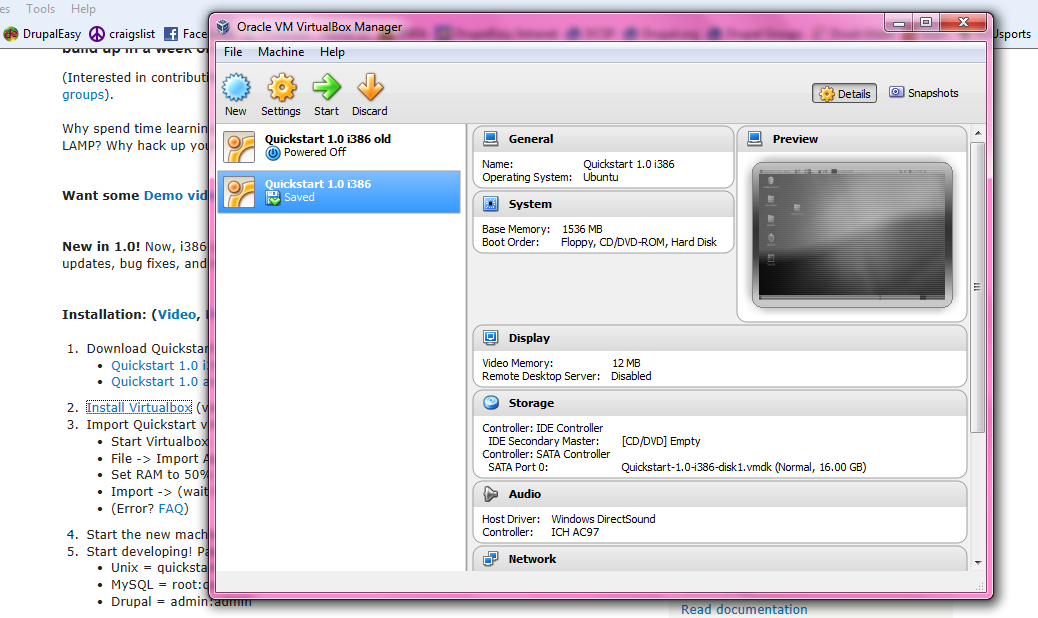 This week I had the opportunity to clone a website from a git repository using Quickstart. Quickstart is a really quick, pre-made PHP Drupal development environment in a VirtualBox, which allows you to install a virtual machine to run Linux on your Windows PC. I've only gone through the process of cloning a site into Quickstart once before, and this time I thought I’d document it in my blog for myself and anyone else who might want to do this in the future. The general idea is this - there’s a site that I need to work on that is stored in a remote git repository. I want to get a copy of the site up-and-running inside Quickstart. To get started, I downloaded Quickstart, installed VirtualBox, then imported the Quickstart file into it.
Once I got Quickstart fired up on my Windows laptop, I set off to work. I used Drush (which comes built-in to Quickstart) to configure my virtual host and create an empty database and directory for the site. The Getting started with Quickstart page is a great resource for all the Quickstart specific Drush commands that it includes. At my command prompt I typed
drush qc apache dns database --domain=localsitename.dev
Important to note, this created an empty “localsitename_dev” database. Remember that underscore when you’re setting the name of your database later during Drupal's installation process.
Next, I wanted to clone (Quickstart also comes with Git pre-installed!) the site into the directory I just made, so I changed the directory to the new localsitename directory and I used the git clone command to copy the site from the remote repository. I added a “ .” ("space-period") at the end of the clone command so it cloned the repository into the current directory.
Next, I went to my browser and installed the site by going to http://localsitename.dev/install.php (remember, the Drush command I used automatically also set up this virtual host), this is where I needed to remember that underscore when I named the database. If you run into any files directory and/or settings.php issues, here’s some commands that might come in handy:
$ cp //to copy my settings.php file
$ mkdir //to make a new files directory
$ ls -al //to show me the permissions to each file
$ chmod //to change file permissions

At this point, the site was installed with a fresh database. The final step was to get copy the database from the shared development server. I first enabled the Backup and Migrate module on my new local site, then I went to dev site and performed a quick backup (/admin/config/system/backup_migrate); saving it to my local “downloads” directory.
Finally, I went back to my new local site and restored (/admin/config/system/backup_migrate/restore) by uploading the file I just downloaded.
Poof! I have a cloned website!
Comments
you'll also want to make sure
you'll also want to make sure you get a copy of any files from your source site. You can do this easily with rsync or the drush equivalent.
Pingback
[...] read more [...]
Great blog; thanks for
Great blog; thanks for sharing!
Great post very useful for us
Great post very useful for us newbies