
It could have been an April Fools joke. On April 1st we got the call. "We have mockups for the design of the site, and we need the theme done in 2 weeks. After that we can discuss the XML import part of the project. We need to go live at the beginning of May." We knew it would be a challenge, but we made it happen - on May 7th the site went live.
Project Description
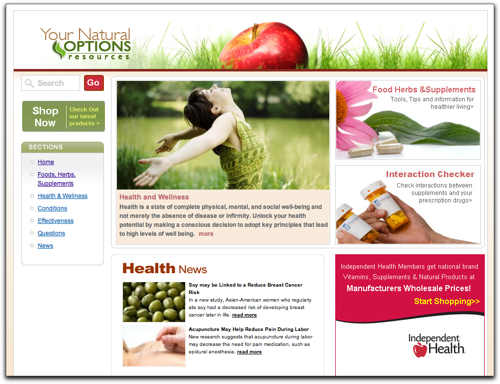
The site we built, Resources.yournaturaloptions.com, is a part of YourNaturalOptions, an independent health company based in South Florida. DrupalEasy worked with Big Couch Media Group in building the Resources site as a means of giving YourNaturalOptions members access to a treasure trove of information about natural medicinal remedies.
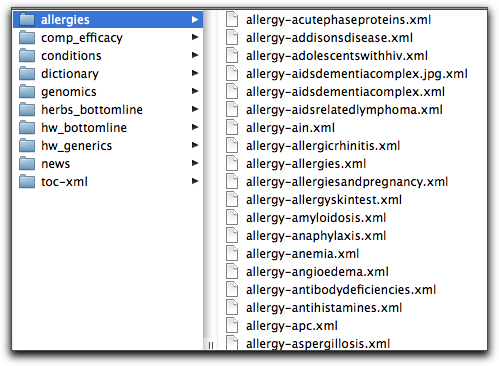
The content for the site was provided to us in the form of approximately 3,000 individual XML files from a 3rd party provider. The XML files didn't have a standard schema and were only loosely associated with each other via categories and filenames.
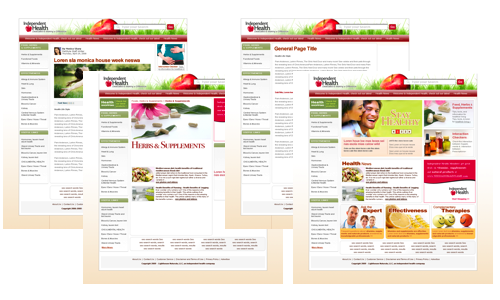
The look and feel of the site was provided to us in the form of four Photoshop Document (.psd) files. The client was, for the most part, very specific about what they wanted to see, but at the same time, they trusted us enough to allow us some artistic freedom to design elements that weren't specifically addressed in the mockups. This greatly sped up our theme development time.
We had several conference calls prior to beginning the work, all related to the theme and the general "flow" of the site. One big advantage we had from the very start was that there would be no registered users for the site other than the site admins - we didn't have to worry about theming any user-specific pages.
Other than the theming and content, the other main task for us was to create a slideshow on the home page of the site. The content for the slideshow needed to be updated periodically by the site administrator, so from the very beginning we were looking for a Views-based solution.
Theming
At the outset, we decided to use Blueprint as the base theme for the site. Although several of the pages seemed to indicate the use of Panels, we decided to play to Blueprint's strong points and use blocks and regions. We very quickly built the necessary page templates (we actually only needed to build three different template since two of the mockups were very similar - another time-saver for us) with the required regions baked right in. This would give the site administrator the ability to swap in different blocks via the standard block administration page in the future.
We decided to use the Block Theme module to allow the site administrator to choose between two different style blocks whenever they changed the visible blocks around. We created a very simple no-title, thin grey outline block style and a more standard rounded green header block style for them to choose from.

Once we had the skeleton of the pages layed out and a couple of block themes available to us, putting together the rest of the theme was just a matter of setting up the common site header, configuring the core CSS (mainly for font styles), and then the usual work of styling individual elements within the various templates. Once we got to this stage, it was mostly standard CSS and HTML markup work - very little Drupal-specific theming was necessary.
Content/XML Import
The vast majority of the content for the site was provided to the client as a set of XML files from a third party. There were six types of XML files to be imported into five different content types. The majority of each of the XML files represented a single Drupal node. Some of the XML content types were related to each other via their filenames - this had to be taken into account during the import. In addition, the taxonomy for each imported node was located in additional XML files - these had to be imported separately then queried as each node XML file was imported. Finally, each node could be referred to using several different titles - this required an entirely different solution that we ended up calling "node dopplegangers". Needless to say, no existing import module was able to handle this complexity, so we wrote one from scratch.
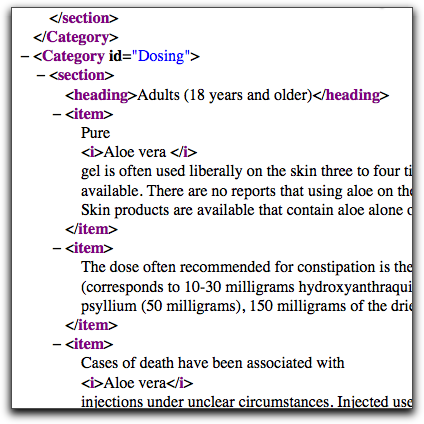
The module we ended up writing basically did two things. First, it imported the XML files that contained the taxonomy and doppleganger info and dumped the data into custom tables to be used later in the import process. Next, for each content type, it traversed the relevant XML directories and used php's SimpleXML() function to parse each file. Then, we did a bunch of additional processing of the data to break up each node into its component fields, while also adding the correct taxonomy and rebuilding internal links to other imported nodes, and making sure internal image paths were translated to the Drupal /files directory . In the end, we ended up with a 1,300-line custom module that utilized Drupal's BatchAPI for importing all 3,000+ nodes with the click of a single button.
Home Page Slideshow
Once we had the theming complete and the data imported, the final task was to create a dynamic slideshow for the home page of the site. A main requirement of the slideshow was that it needed to be easily updated by a non-programmer via the administrative area. We decided to use the Views Slideshow module to handle the user interface. The images in each slide came from an ImageField. We then built a view that filtered by the "sticky" tag and used Views Slideshow for its display style.
The next step in our slideshow process required some custom code. Administrators needed the ability to have each slide point to any node on the site, or entire views pages if they wished. To accomplish this, we added a "basepath" field to any content type that was eligible for display in the slideshow, including the default "story" content type. We added three lines of code to our theme to redirect the user to the "basepath" when the user clicked to view a node that included a valid "basepath".
When an administrator wants to showcase a view in the homepage slideshow, he or she simply creates a new "story" node, enters the path to the view in the "basepath" field, adds a descriptive title and relevant picture, and makes the node "sticky". It is then displayed in the homepage slideshow and when a user clicks on it, they are redirected to the proper view. This redirection is also possible using the CCK Redirection module.
Summary
Overall, this was a very fast and affordable (<$10K) project with several challenges that were quickly met and overcome. By far, the greatest amount of development time was spent on the custom XML import module. The rest of the work on the site was rather straight-forward in comparison thanks to the power of Drupal and some incredible contributed modules from the Drupal community.
Comments
Added to DrupalSightings.com
Added to DrupalSightings.com
Nice writeup, clear
Nice writeup, clear solutions. Thanks!
Awesome Job Guys!!! Great to
Awesome Job Guys!!! Great to me some Drupal Peeps in South Florida.
Lanesa Stubbs